
In today's digital business world, knowing your website's ranking in Google search results is crucial for website traffic, exposure, and business growth. To help you easily grasp this key information, we have carefully developed a powerful Google ranking query tool that can query the rankings of up to 200 countries and regions. Here is a detailed introduction to how to use this tool.
Visit the tool page
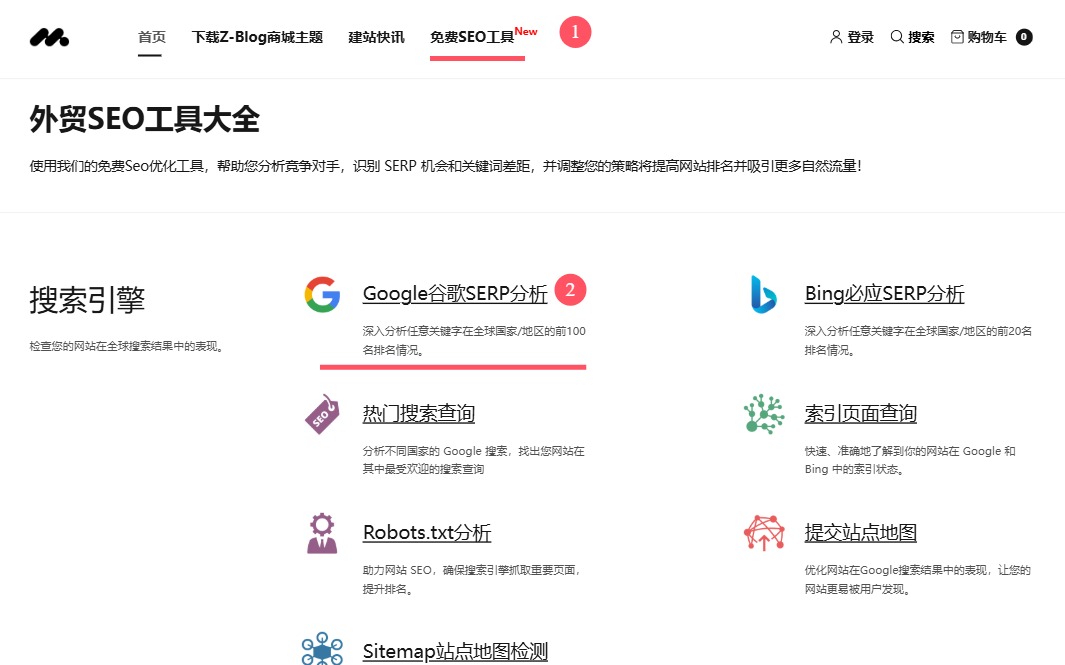
Visit the Google SERP Analysis ToolGo to the page of Google SERP analysis tool. In the navigation bar at the top of the website, you can find the entrance link of Google SERP analysis tool by visiting [Free SEO Tools], and click to enter the interface of the tool.
Enter the website domain name
Once you enter the Google SERP Analytics page, you will see a text box dedicated to entering the domain name. In this text box, enter exactly the domain name of the website you want to query for rankings, such as "https://zbtheme.com/". Please make sure that the domain name entered is complete and correct, otherwise the query results may be inaccurate or impossible to query. (Note: All SEO tools on this site require registration and login accounts to use!)
III. Select the target country
After entering the domain name, you need to select the target country you are following in the list of regions provided by the query tool. Our tool covers options for multiple countries around the world 200, and you can locate the specific country you want to query through the drop-down option. For example, if your business is mainly for the US market, you can select "US" in the list.
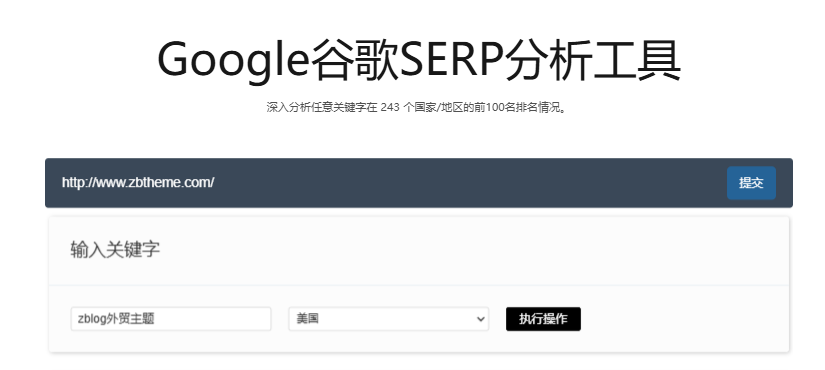
Once you've entered your website's domain name and selected your target country, all you need to do is click the "Submit" button. At this point, the tool will quickly launch the query process and start retrieving the ranking information of your entered domain name in the selected country in the vast Google search database.
IV. Check the query results
After a short wait (usually ranging from a few seconds to tens of seconds depending on network conditions and query complexity), you will see a detailed display of the query results on the page. The results will clearly show your website's ranking position in Google search results, as well as some brief data and analysis related to rankings. You can take a closer look at this information to understand your website's search performance in the target country in order to further develop optimization strategies or evaluate the effectiveness of marketing activities.
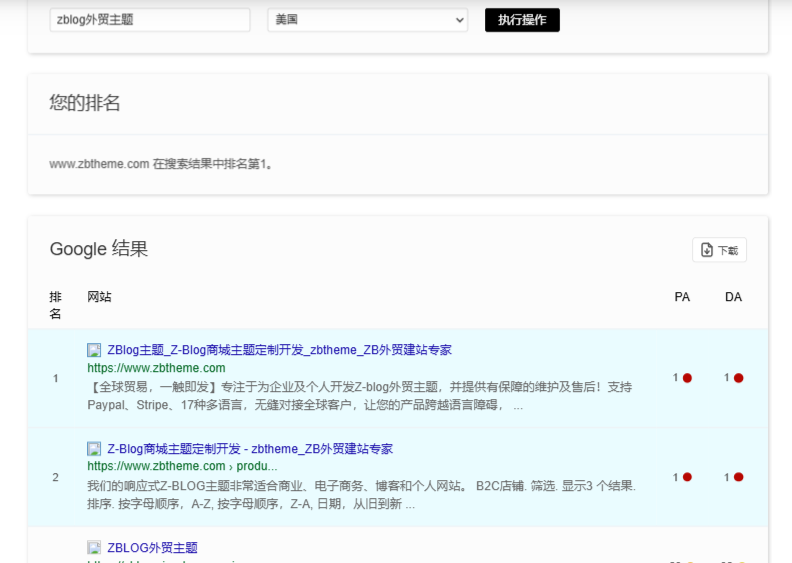
With these few simple steps, you can easily use our Google SERP analysis tool to keep track of the Google ranking dynamics of your website in different countries and regions around the world. Whether it is a website operator, digital marketer or business owner, thisFree SEO toolsIt will become your right-hand assistant to enhance the competitiveness of your website and expand the global market. Come and use our tools to start your website ranking monitoring journey!